
Download CreatorMagic – AI‑Powered YouTube to Text Converter
Overview
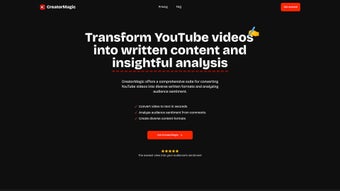
CreatorMagic is a sophisticated AI‑driven web application designed to turn YouTube videos into a variety of written formats with a single click. By pasting a YouTube URL, the platform instantly generates concise summaries, full‑length blog posts, and ready‑to‑post social‑media snippets, eliminating the need to watch long videos while still capturing the core message. The tool shines for content marketers, students, and social‑media managers who need to stay on top of video trends without sacrificing precious time.
Beyond transcription, CreatorMagic dives into the comment section of each video, performing sentiment analysis that reveals how viewers feel about the content. This insight helps users fine‑tune their own messaging, choose topics that resonate, and craft SEO‑friendly copy that aligns with audience expectations. With a focus on preserving the original intent of the video and delivering outputs that rank well in search engines, CreatorMagic positions itself as a must‑have resource for anyone looking to convert visual media into powerful written assets.
Key Features of CreatorMagic
- One‑Click Video Conversion: Paste any public YouTube URL and receive a summary, blog article, or social snippet in seconds.
- AI‑Generated Summaries: Natural‑language processing creates concise, accurate overviews that keep the original tone.
- Full‑Length Blog Drafts: Automatically expands key points into SEO‑optimized articles with headings, sub‑headings, and suggested keywords.
- Social Media Snippets: Generates tweet‑ready, LinkedIn, or Instagram captions that capture the video’s hook.
- Comment Sentiment Analysis: Scans comments to produce a sentiment score, highlighting positive, neutral, and negative feedback.
- Keyword Extraction: Identifies high‑impact keywords from the video transcript to improve search visibility.
- Custom Tone & Style Settings: Choose formal, conversational, or brand‑specific voice for each output.
- Export Options: Download results as plain text, Markdown, or directly publish to WordPress and Medium.
- Secure Cloud Processing: All video data is processed over HTTPS, and no personal data is stored after the session.
- Regular Updates: Weekly model improvements keep the AI current with language trends and YouTube algorithm changes.
Installation & Usage Instructions
Step‑by‑Step Guide
Because CreatorMagic is a web‑based SaaS platform, there is no traditional software installation required. Users simply need a modern browser (Chrome, Firefox, Edge, or Safari) and an internet connection. Follow these steps to start converting videos:
- Create an Account: Visit creatormagic.io and sign up with an email address or single‑sign‑on via Google. A free tier grants up to 5 conversions per month.
- Choose a Plan: If you need higher limits, upgrade to the Pro or Enterprise plan. Payments are processed securely through Stripe, and you can cancel anytime.
- Enter the YouTube URL: In the dashboard, paste the video link into the input box. CreatorMagic automatically validates the URL and fetches the transcript.
- Select Output Type: Pick “Summary,” “Blog Post,” “Social Snippet,” or “Full Transcript.” You can also enable “Sentiment Report” to get audience insights.
- Configure Settings (Optional): Adjust tone, word count, or keyword emphasis using the side panel. These preferences are saved per project for future use.
- Generate Content: Click “Convert.” Within seconds, the AI processes the video and displays the result in an editable editor.
- Export or Publish: Use the “Download” button to save as .txt, .md, or click “Publish to WordPress” for seamless integration.
For teams, CreatorMagic offers a collaborative workspace where multiple users can comment on drafts, assign tasks, and track version history. The platform also provides API access for developers who wish to embed conversion capabilities directly into their own applications.
Compatibility, Pros, and Cons
CreatorMagic runs entirely in the cloud, making it compatible with any operating system that supports a modern web browser, including Windows 10/11, macOS, Linux, Android, and iOS. Because no local installation is needed, the tool works equally well on desktop, laptop, tablet, or smartphone, giving users flexibility to convert videos on the go.
Pros
- Fast, one‑click conversion saves hours of manual transcription.
- AI produces SEO‑friendly content that ranks well in Google search.
- Sentiment analysis offers actionable audience insights.
- Cross‑platform accessibility eliminates compatibility worries.
- Secure HTTPS processing ensures data privacy.
- Customizable tone and export formats fit diverse workflow needs.
Cons
- Free tier limits the number of conversions per month.
- Accuracy depends on the quality of the original YouTube auto‑generated transcript.
- Complex videos with heavy jargon may require manual editing for perfect clarity.
- No offline desktop version for users who prefer local processing.
Frequently Asked Questions
Can CreatorMagic transcribe private YouTube videos?
No. CreatorMagic can only process videos that are publicly accessible. Private or unlisted videos require the user to provide a direct transcript file.
Is there a limit to the length of videos I can convert?
The free plan caps conversions at 10‑minute videos. Pro and Enterprise plans support videos up to 2 hours, with higher limits available on request.
How does the sentiment analysis work?
CreatorMagic scrapes the public comment section, applies natural‑language sentiment scoring, and presents a summary with positive, neutral, and negative percentages, plus highlighted keyword trends.
Can I integrate CreatorMagic with my existing CMS?
Yes. CreatorMagic offers direct publishing to WordPress, Medium, and Ghost, and provides an API for custom CMS integrations.
Is my data stored after conversion?
All video URLs and generated text are encrypted in transit and are automatically purged from our servers after the session ends, ensuring privacy.
Conclusion – Why Download CreatorMagic Today?
CreatorMagic bridges the gap between video consumption and written content creation, delivering a secure, fast, and AI‑enhanced workflow that fits any modern digital strategy. Whether you’re a marketer looking to repurpose video insights into blog posts, a student needing quick summaries, or a social‑media manager hunting for shareable snippets, CreatorMagic provides a reliable, cross‑platform solution. The built‑in sentiment analysis adds a layer of audience intelligence that few competitors offer, allowing you to align your messaging with real viewer reactions. While the free tier is modest, the paid plans are competitively priced and unlock unlimited conversions, longer video support, and priority processing.
Ready to turn YouTube videos into written gold? Download CreatorMagic now, start your free trial, and experience how AI can supercharge your content pipeline.



.png)



